Gemini CLI


Connect Gemini CLI to DeployStack Satellite with a single endpoint and extend your terminal-based AI workflows with managed MCP servers. No local server processes to maintain, no credential exports cluttering your shell environment, no configuration drift across development machines.
DeployStack's encrypted vault stores API keys centrally and injects them into MCP processes on demand, so your CLI sessions execute tools without exposing sensitive tokens in history or dotfiles. Role-based permissions control which team members access specific MCP servers, while audit logs capture every tool interaction across all terminal sessions.
The hierarchical router exposes just two meta-tools instead of hundreds, keeping Gemini CLI responses fast and focused even when your team relies on dozens of MCP integrations. Configure once in your MCP settings and every terminal session instantly inherits the full toolset.
Command for adding DeployStack to your Gemini CLI:
$ gemini mcp add --transport http deploystack https://satellite.deploystack.io/mcp

Connect DeployStack to Gemini
Register DeployStack as an MCP server with one command. Gemini CLI automatically loads your credentials and adds the server to your project settings.
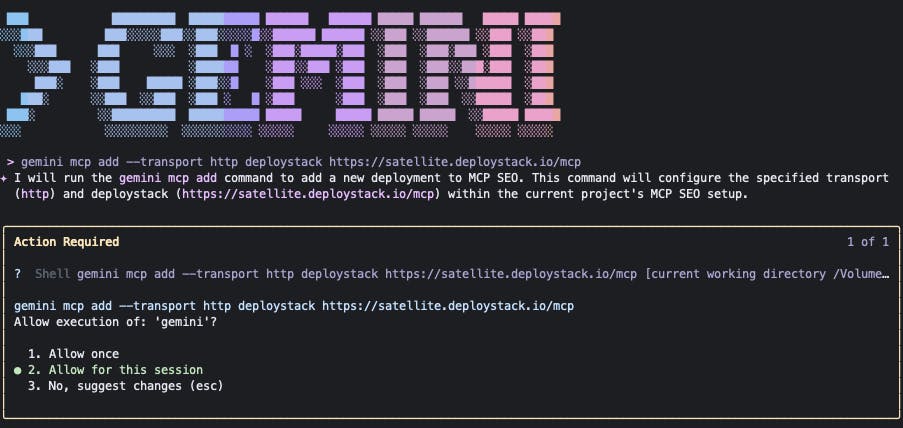
Approve Command Execution
When prompted, select "Allow once for this session" to let Gemini execute the MCP server setup command. This grants permission for the current session without requiring approval for each subsequent command.
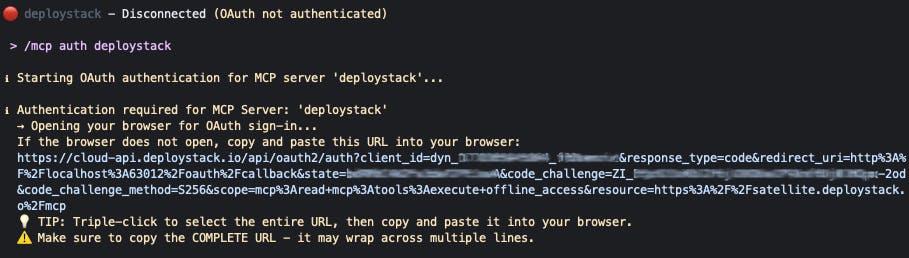
Authenticate with DeployStack
Inside Gemini CLI, run `/mcp auth deploystack` to start the OAuth flow. Gemini automatically opens your browser for sign-in. If the browser doesn't launch, copy the complete URL from the terminal and paste it into your browser manually.
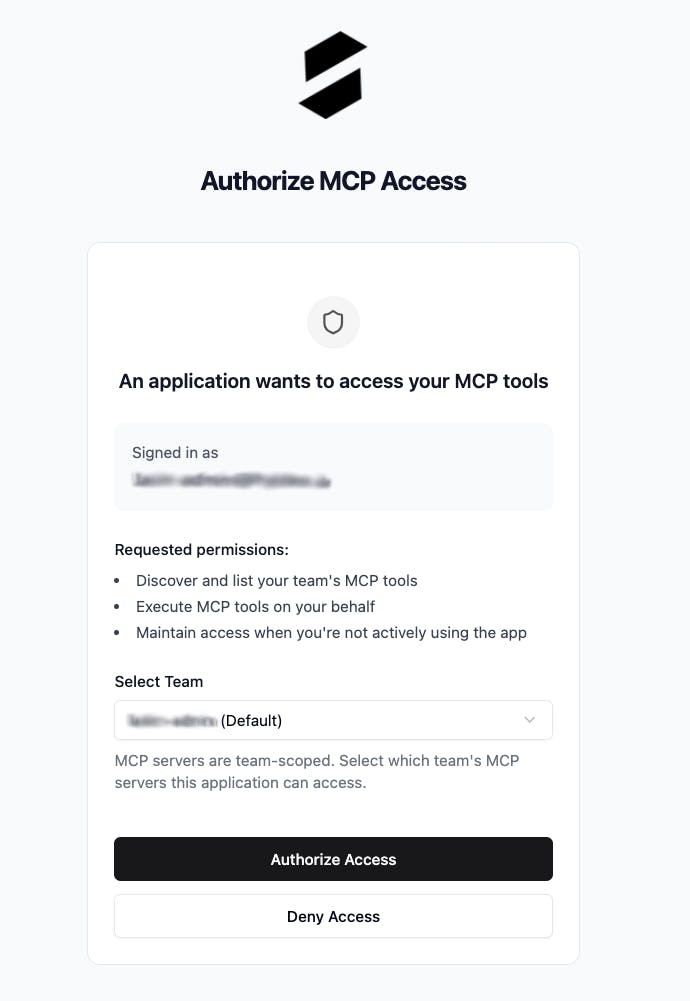
Select Team
Select your team and click on Authorize Access
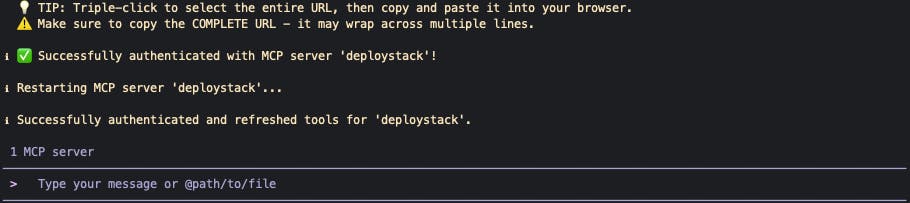
Successfully Connected
Authentication successful! Gemini CLI restarts the DeployStack MCP server and loads all available tools. Your terminal now has immediate access to your team's managed MCP servers without additional configuration.
Your Gemini CLI is now connected to DeployStack. Every terminal session has immediate access to your team's MCP servers without additional flags or configuration. Start prompting and leverage the full toolset directly from your command line.